Excel
Microsoft Excel is spreadsheet software first developed in the 1980s. Simply put, spreadsheets arrange data in rows and columns of cells and (if necessary) perform calculations. Over the years, Excel has gained capabilities well beyond this and can now be used to manipulate and present data in complicated and sophisticated ways, but it can also be used simply to display information in an organised manner.
If you are studying statistics or any subject that involves tables of data, you will almost certainly need to know how to use Excel competently. But even if you don't need to work with data in this way, Excel can be your go-to programme when you want to display and organise information in the form of tables.
Tabulating Information
Some users never need to do anything more complex with Excel than tabulating information in rows and columns, with no real processing at all. Using a spreadsheet rather than a word-processed table for this kind of thing can have advantages: it's much easier to set up and also allows the stored information to be used in other ways at a later date.
An example of a simple table:
| Red | White | Yellow | |
|---|---|---|---|
| Large | Jemima | - | Mahalia |
| Medium | - | Lispeth | Wanda |
| Small | Rosita | Magnolia | Keiko |
Number-crunching
Only a small proportion of students will be required to do the kind of heavy-duty number-crunching that Excel can achieve, perhaps for manipulating large data sets or performing statistical operations. The best advice is simply to make sure that you learn and keep up with the required skills, which will be available through a number of outlets. Contact your institution's [IT Support] to find out how to gain or improve your Excel skills.
This is one area where steady practice and curiosity will pay off -- don't think you can cram those skills at the last minute. Also, performing complex tasks with this kind of software often means several possible approaches, so working in a group of students can be an advantage.
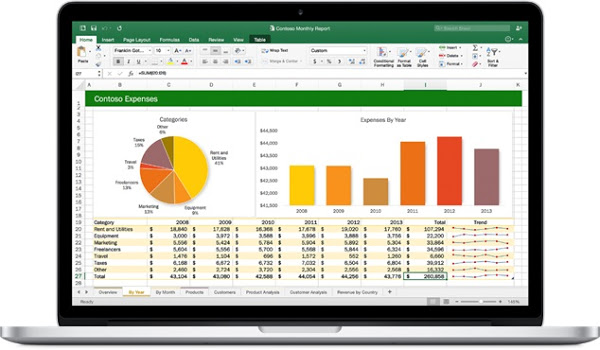
There is a good chance that Excel is the most powerful yet underused IT tool you will routinely encounter. And even if you never need to use its more advanced capabilities, its sheer ability to organise information can be tremendously valuable.
If you have time, watch this video tutorial from Tech for Teachers and Students on Excel Basics:
"Understand the technology you will need to use on your course and get yourself fairly familiar with it." Lu, 2nd-year student