University Computing
In addition to understanding the specific technologies you use in your subject, you will need a wide range of generalised skills, which are outlined in this course.
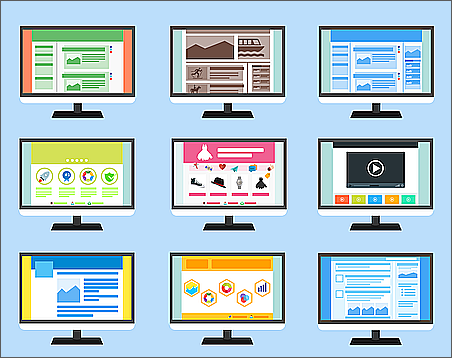
Systems
One of the first things you will have to contend with is the confusing array of individual systems being used within the university. These will include access to many or all of the following, some of which will be combined and integrated, depending how far down the road to "single sign-on" your institution has gone, while other will proliferate new links with new logins once you access the "gateway" to one of them.
These may include:
IT Services: Most of your access to technology will come through your institutional IT account, and this will also be the account through which you will request IT support of various kinds.
Email: In additional to your personal email account(s), you will have one or more institutional email accounts, which will allow you to access certain services and receive all manner of communications and notifications.
VLE: The online learning environment will have its own login, and other associated technologies will either be integrated or accessed through the VLE, such as assignment submission, lecture capture, etc.
Library: The library will provide a wide range of resources (i.e., catalogue, databases), some of which will be integrated into the main Library system, but some will require separate access and additional logins.
Classroom computers: Each classroom may have its own computer for controlling presentations and recording lectures. These will require logins.
Student Records: You may have to access the student records management system (SITS or similar), where data on students, enrolments and progress are held.
Intranet: You may have an institutional intranet, where a range of resources and other systems may be be accessed.
Finance: You may have a separate finance system to access, where you'll request reimbursements for expenses, raise Purchase Orders, pay or collect fees for events, conferences, etc.
Human Resources: There may be a separate system for viewing and managing your employee records, payslips, annual reports, etc.
Room/facilities: There may be a separate booking system for classrooms, conference rooms, and other facilities.
PhD supervision: Some institutions have separate management systems for logging and keeping records on postgraduate supervisions and submissions.
Research: If you are engaged in research, there may be both internal and external systems for recording grant bids, funding, managing and paying contractors and research subjects. Funding bodies may have their own systems as well (i.e., AHRC, ESRC. etc).
One of the most useful things you can do as soon as you arrive at your desk will be to discover what these systems are and learn to use them. Your institution may have orientation/induction materials for new staff that will spell this out for you. If not, be sure to seek out support for the various departments (IT, Library). Your colleagues will also be most helpful, having got to grips with it all themselves.

Equipment
Aside from software, networks and online systems, you will find that institutional hardware, including the devices you are supplied with for your professional use, will be carefully controlled and "locked down" in such a way as you may not be able to personalise or configure them or install apps and software. This is for security and also to make it easier for the IT department to fix them and support you when things go wrong. The flipside is that you may feel constrained when trying to do your work.
The best thing to do is to explore the limits as early as you can. If there's anything vital to your work that you cannot do on your supplied equipment, contact your IT department and be able to explain clearly what your needs are. They will help you find a solution.
[ADD LINK TO INSTITUTIONAL/IT SUPPORT]